
Short term rental guest messaging is how a host stays helpful without being glued to a phone. Done well, it answers the same questions before guests ask them, in a tone that feels like a good host and not a script. This guide shows what to send, when to send it, and how to serve guests in their own language.
Quick answer: Send a confirmation at booking, arrival details a day or two before check-in, a short welcome on arrival, one mid-stay check-in, and a thank-you after checkout. Put answers to common questions where guests can reach them instantly, such as a QR code in the home.
What Is Short Term Rental Guest Messaging?
It is every message between host and guest across a stay. That includes booking confirmations, check-in instructions, answers about the home, and the follow-up after checkout. Hosts who run a home remotely have no front desk, so these messages are the whole service.

A host reviewing short term rental guest messaging between check-ins.
Why Vacation Rental Guest Communication Matters
Guests judge a stay on small moments. A door that will not open at 10 PM, or a Wi-Fi password nobody can find, shapes the review more than the decor does. Fast, clear answers turn those moments into non-events.
Language matters too. CSA Research has found that 76% of consumers prefer to engage in their own language. A guest who cannot explain a problem in English often stays quiet and reviews later. For a wider view of how this works at hotels, see this guide to guest communication platforms.
The Guest Message Timeline
Timing is half the work. Here is a simple rhythm that suits most homes.
| When | Message | Goal |
|---|---|---|
| At booking | Short thank-you and confirmation | Reassure |
| 1 to 3 days before | Address, parking, entry steps | Smooth arrival |
| Arrival day | Welcome and where to find answers | Set the tone |
| Mid-stay | One quick check-in | Catch issues early |
| After checkout | Thanks and review request | Close warmly |
For wording ideas, browse these welcome message examples and adapt the tone to your home.
How to Set Up Guest Message Templates
Follow these steps once, then refine as you learn.
- List your repeat questions. Review the last ten stays and note what guests asked.
- Write one clear answer each. Use short sentences and exact steps.
- Map messages to the timeline. Decide what goes out at each stage.
- Put answers where guests already are. A printed QR code in the home works on any phone.
- Review monthly. Read recent requests and fix anything that confused guests.
Writing Messages Guests Actually Read
Keep it short and scannable
Lead with the one thing the guest needs. Put entry steps in a numbered list. Save house rules for a separate, friendly note.
Sound like a host, not a form
Use the guest's name and mention something specific, like a trip purpose they shared. Automation should save you typing, not remove your voice.
Multilingual Guest Messaging Without Extra Work
International guests are a growing share of bookings for many hosts. Replying in a second language by hand is slow and error-prone. In the guest's own language, a simple answer builds trust faster than a perfect one in English.
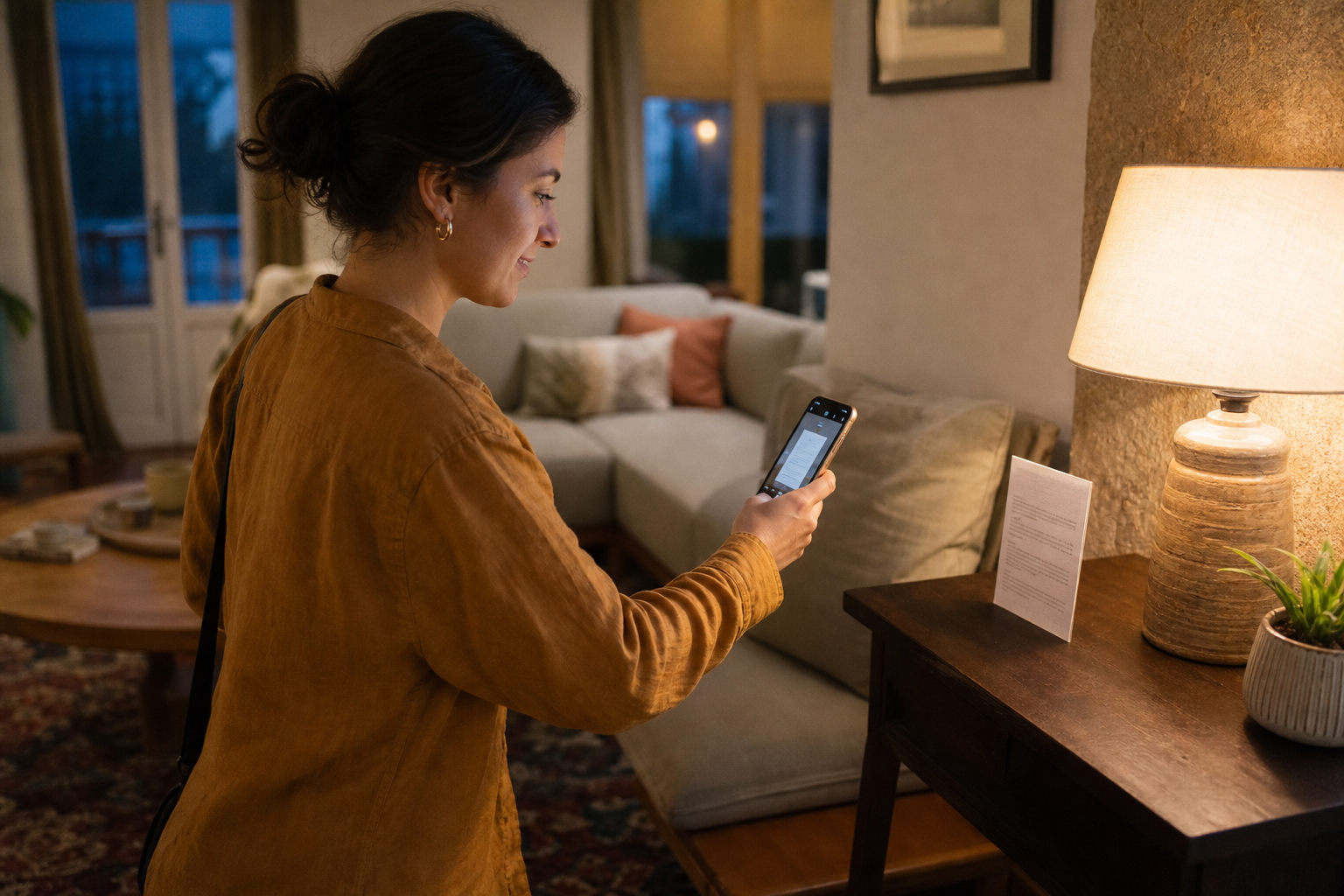
A printed QR code lets guests reach answers without an app or login.
How an AI Concierge Fits In
Cortesia is a multilingual AI concierge for boutique and independent hotels and short-term rentals. Guests scan a QR code in the home and get instant answers in their own language, with no app, no login and no account. Requests reach one live dashboard, translated for the host or team.
Setup includes your property knowledge base and print-ready QR materials. No PMS integration is required, so properties go live in days. Pricing is simple per room and month-to-month. You can see how it works in the live demo, or compare options in this buyer's guide to guest messaging software.
A Note on Allergies and Safety
If you offer breakfast or provide food, guests may mention allergies. No messaging tool is the authority on food safety or allergies. Staff preparing the food are the final authority, and guests should confirm allergy information directly with them. In Cortesia, an allergy mention triggers a staff alert that requires acknowledgment, and that information is used only for guest safety.
Common Mistakes to Avoid
- Sending one long message with everything in it.
- Leaving out parking or entry details.
- Replying hours later to a lockout or noise issue.
- Writing house rules as warnings.
- Ignoring what guests keep asking, month after month.
For more on service habits that carry over from hotels, read these boutique hotel customer care strategies. You can also explore instant guest service chat.
Frequently Asked Questions
What is short term rental guest messaging?
Short term rental guest messaging is the set of messages a host sends and answers before, during and after a stay. It covers booking confirmations, check-in details, house questions and checkout reminders.
When should I send the first message to a guest?
Send a short confirmation as soon as the booking is made. Then send full arrival details one to three days before check-in.
How many messages are too many?
Four or five well-timed messages per stay is usually enough. Each one should give the guest something useful, not just a reminder that you exist.
What should a check-in message include?
Include the address, parking, how to enter, the Wi-Fi name and who to contact. Keep it to one screen so it is easy to find later.
Do guests need to download an app?
Not with Cortesia. Guests scan a QR code in the home, with no app, no login and no account.
How do I message guests who speak another language?
Answer in the guest's own language whenever you can. Cortesia works in eight languages and translates requests for the host.
Are automated messages impersonal?
They can be, if they read like a form letter. Write them in your own voice and reserve personal replies for anything unusual.
How fast should I reply to guests?
Aim to acknowledge every request within minutes during waking hours. Fast acknowledgment matters even when the fix takes longer.
What are common guest messaging mistakes?
Common mistakes include long walls of text, missing arrival details, slow replies and sending the same message to every guest. Using jargon or house rules written as warnings also hurts the tone.
How should I handle allergy questions from guests?
Treat them seriously and direct guests to confirm allergy information with the people preparing the food. Messaging tools should never be the final authority on allergies.
How much does guest messaging software cost?
Prices vary by tool. Cortesia uses simple per-room pricing, month-to-month, with onboarding included.
How long does it take to set up?
Writing your answers takes a couple of hours. With Cortesia, properties go live in days and no PMS integration is required.
Conclusion
Good short term rental guest messaging is timely, short and written in the guest's own language. Build a simple five-message timeline, answer repeat questions before they are asked, and keep a personal touch for anything unusual. Put those answers in a place guests can reach in seconds, and your stays will run smoother with less time on your phone.